
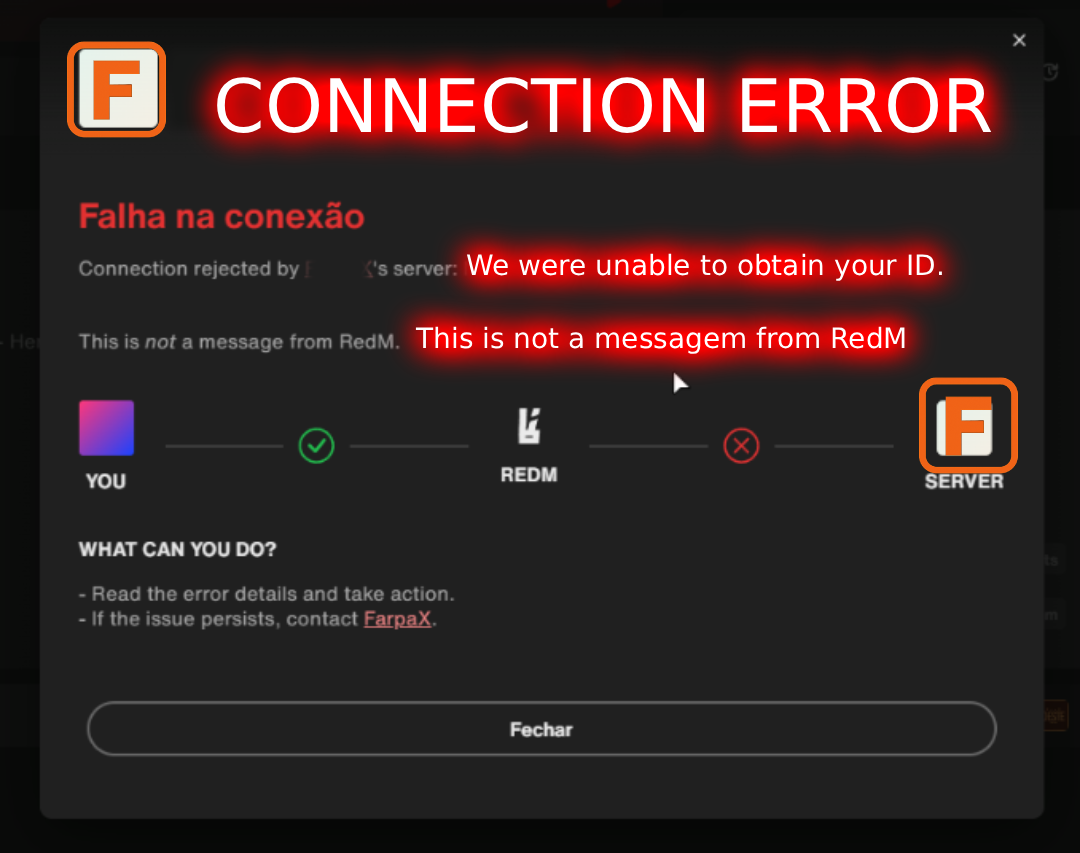
RedM is letting the player in, but the session has no Steam id. Queue scripts then reject the join with messages like "Steam required" or "could not get your Steam identifier".
This is a free server resource. It does not edit your dragon script, your jobs, or your framework. It only tells your queue: the identifier that shows up on connect belongs to this real account.
## Why this exists
This script came from a connection problem I had on my own server. A client of mine later had the same problem, and I only learned about it afterwards. Their development team could not help. Once I understood what was happening, I decided to publish this script for free and try to help everyone who hits the same wall.
## What it fixes
After a Rockstar or Cfx account update, RedM can open a session that has no `steam:` id. The server console shows a `license:` (or another) identifier, or a random name, and the queue blocks the player. Reinstalling RedM or the game does not put the old Steam id back on that session.
Characters and permissions are stored under the old id, usually `steam:1100001...`. This script maps the identifier that appears now to that real id, so the same account can join.
Players who are not listed in the config still need a normal Steam id. One line maps one player.
## How it works
1. The player connects once.
2. The server console prints the identifier that connection is using:
```
[farpax_identity_alias] PlayerName connecting id: license:abc...
```
3. You paste that id on the left, and the real Steam id on the right, in `config.lua`.
4. Your queue calls `exports.farpax_identity_alias:Resolve(src)` instead of reading Steam by itself.
A mapped connection prints:
```
[farpax_identity_alias] PlayerName connecting id: license:abc... : > steam:1100001YOURREALID
```
`Config.DiscordId` must be your real Discord user ID. If it is empty or not a real account, the alias stays off.
## Requirements
- RedM server (FXServer)
- A queue (or any script) that reads the player Steam id on the server
- Your own Discord user ID in `config.lua`
Start `farpax_identity_alias` before the queue. Install steps are in the README inside the download.
## Free release
This is free, and it is the first time this script is public. It can contain errors. If something breaks, or if you have a suggestion, reply on this forum thread or send me a message on Discord. I will read both.
Because it is free, the server console prints a short FarpaX notice about every 15 minutes while players are online: custom RedM scripts and other services, Discord FarpaX, and the links page below. Players do not see it. Nothing is printed when the server is empty.
## What I do
I am FarpaX. I write custom scripts and other services for any platform: gameplay scripts, server tools, and work built for a specific server instead of a generic drop-in.
Links:
- Links page: https://deepia.com.br/portfolio/redm-links.html
- RedM portfolio: https://deepia.com.br/redm-portfolio.html
- Discord: https://discord.com/invite/Nvx5EYUCxy
- YouTube: https://www.youtube.com/@FarpaxStudios
- Tebex: https://farpa-tools.tebex.io/
- GitHub: https://github.com/farpaxx
- Email: luiz.pacheco@deepia.com.br
Problems and improvement ideas: this forum thread, or Discord. Please do not expect a paid-support reply time on a free first release, but send the server console line and what the queue printed if you want me to look at a bug.